Gregory Larsen

Currently a SQL Server DBA. I've been working with SQL Server since 1999. I'm an old-time mainframe DBA. My DBA career started in 1985. Currently studying to obtaining MCDBA.

Stairway to Advanced T-SQL

Stairway to Advanced T-SQL Level 9: Compare, Modify, Derive and Validate Date and Time Values

When you build applications that store data in SQL Server you will most likely have to store dates and times, and you’ll call functions to do date manipulations. It is important to understand the different date and time data types, and when to use one data type over another. In this level I will be exploring the different date and time data types and discussing when each type is appropriate.

(2)

You rated this post out of 5. Change rating

2024-09-25 (first published: )

13,704 reads

Stairway to Advanced T-SQL

Stairway to Advanced T-SQL Level 5: Turning Data On Its Side Using PIVOT Operator

The PIVOT operator was added to the Transact-SQL language in SQL Server 2005. It allows you to turn your row data on its side, so it can be presented as column data. This is useful when you want take unique column values and have them displayed as column headings, where the column headings are associated with summarized values displayed below each column heading. In this article I will be exploring how to use the PIVOT operator.

(4)

You rated this post out of 5. Change rating

2024-04-24 (first published: )

24,831 reads

Stairway to Advanced T-SQL

Stairway to Advanced T-SQL Level 4: Record Level Processing Using Transact-SQL Cursors

Using a CURSOR is not normally the best way to process through a set of records. Yet when a seasoned programmer moves to writing TSQL for the first time they frequently look for ways to process a sets of records one row at a time. They do this because they are not used to thinking about processing records as a set. In order to process through a TSQL record set a row at a time you can use a cursor. A cursor is a record set that is defined with the DECLARE CURSOR statement. Cursors can be defined as either read-only or updatable. In this article I will introduce you to using cursors to do record level processing one row at a time.

(3)

You rated this post out of 5. Change rating

2024-04-10 (first published: )

13,627 reads

Stairway to Advanced T-SQL

Stairway to Advanced T-SQL Level 3: Understanding Common Table Expressions (CTEs)

A CTE is a temporary result set defined by a simple query, and is used within the execution scope of a single INSERT, UPDATE, DELETE, or SELECT statement. In this article we will explore how to define and use CTE's.

You rated this post out of 5. Change rating

2024-04-03 (first published: )

6,481 reads

Stairway to Advanced T-SQL

Stairway to Advanced T-SQL Level 2: Using the APPLY Operator

The APPLY operator allows you to join a record set with a function, and apply the function to every qualifying row of the table (or view). The APPLY operator takes on two formats: CROSS APPLY, or OUTER APPLY. This article will explain the differences between these two formats, and show you examples of how each of these formats work.

(8)

You rated this post out of 5. Change rating

2024-03-13 (first published: )

29,673 reads

Stairway to Advanced T-SQL

Stairway to Advanced T-SQL Level 1: Intro to Advanced T-SQL Using a CROSS JOIN

The first installment of this new stairway series will be discuss the CROSS JOIN operator. This stairway should help readers prepare for passing the Microsoft Certification exam 70-461: Querying Microsoft SQL Server 2012.

(4)

You rated this post out of 5. Change rating

2024-03-06 (first published: )

37,791 reads

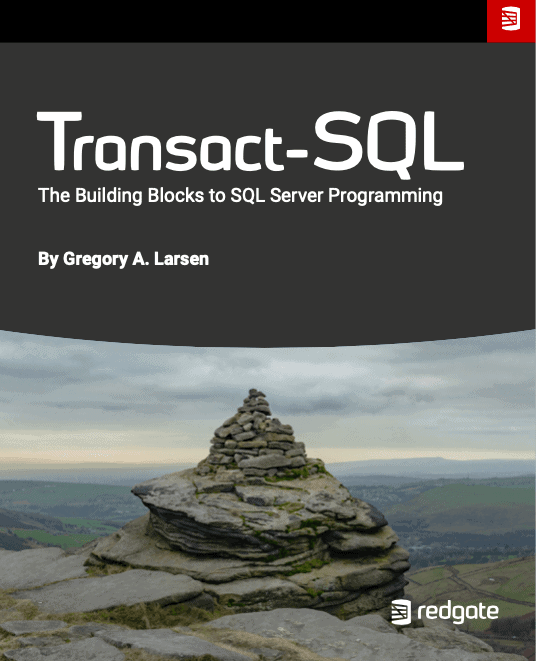
Transact-SQL: The Building Blocks to SQL Server Programming eBook by Gregory A. Larsen

Transact-SQL: The Building Blocks to SQL Server Programming by Gregory A. Larsen

Transact SQL (TSQL) is the languaged used to query and update data stored in a SQL Server. This book, written by SQL Server Central and Simple Talk author Greg Larsen, will give developers an understanding of the basics of the TSQL language. Programmers will have the building blocks necessary to quickly and easily build applications that use SQL Server.

You rated this post out of 5. Change rating

2024-03-06 (first published: )

10,500 reads

Stairway to Advanced T-SQL

Stairway to Advanced T-SQL Level 7: Ordering Your Data Using Ranking Functions

In SQL Server there are 4 different ranking functions: RANK, DENSE_RANK, NTILE, and ROW_NUMBER. These ranking functions were introduced in SQL Server 2005. In this stairway level I will be reviewing each of these different ranking functions, and will show you how to use them by providing a few examples.

(4)

You rated this post out of 5. Change rating

2022-07-06 (first published: )

17,363 reads

Stairway to Advanced T-SQL

Stairway to Advanced T-SQL Level 11: Using Logical Operators

SQL Server supports a number of different logical operators.  These operators can be used for testing Boolean conditions that return true, false and unknown in your T-SQL code.  Logical operators are useful for defining constraints to limit the rows be processed when selecting or updating data. This chapter will provide an overview of the logical […]

(1)

You rated this post out of 5. Change rating

2022-04-20 (first published: )

3,758 reads

Stairway to Advanced T-SQL

Stairway to Advanced T-SQL Level 6: Creating Rows Of Data Using The UNPIVOT Operator

The UNPIVOT operator does just the opposite of the PIVOT operator, which we looked at in the previous level. By using the PIVOT operator we can take multiple rows of data and create as single row as output. The UNPIVOT operator will take values from a single row and will create multiple rows. Microsoft introduced the UNPIVOT operator when they rolled out SQL Server 2005. In this level I will be showing you different examples of how to use the UNPIVOT operator.

You rated this post out of 5. Change rating

2022-01-05 (first published: )

12,153 reads

Blogs

In-Person CISA Training – April 13-16, 2026

By

I will be leading an in-person Certified Information Systems Auditor (CISA) exam prep class...

EightKB 2026

By

EightKB is back again for 2026! The biggest online SQL Server internals conference is...

The FinOps Lifecycle: From Budgeting to Reporting

By

Working in DevOps long enough teaches you two universal truths: That’s exactly why I...

Read the latest Blogs

Forums

VS Code, Unresolved References.

By mjdemaris

Hi all, I just started using VS Code to work with DB projects.  I...

Fun with JSON II

By Steve Jones - SSC Editor

Comments posted to this topic are about the item Fun with JSON II

Changing Data Types

By Steve Jones - SSC Editor

Comments posted to this topic are about the item Changing Data Types

Visit the forum

Question of the Day

Fun with JSON II

I have some data in a table:

CREATE TABLE #test_data
(
    id INT PRIMARY KEY,
    name VARCHAR(100),
    birth_date DATE
);

-- Step 2: Insert rows  
INSERT INTO #test_data
VALUES
(1, 'Olivia', '2025-01-05'),
(2, 'Emma', '2025-03-02'),
(3, 'Liam', '2025-11-15'),
(4, 'Noah', '2025-12-22');
If I run this query, how many rows are returned?
SELECT t1.[key] AS row,
       t2.*
FROM OPENJSON(
     (
         SELECT t.* FROM #test_data AS t FOR JSON PATH
     )
             ) t1
    CROSS APPLY OPENJSON(t1.value) t2;

See possible answers